Three ways to write a table in Podlite
Furnished content.
In my previous article I introduced Podlite as a block-based markup language. Today I’ll zoom into one piece: tables.I write tables in three rough shapes: a few rows of words I’m jotting down, a visual grid like a tic-tac-toe board, or a data export I want to embed in a document. Podlite has three syntaxes around the same model, one per shape. The first has several flavors, so let’s start with that.
=table followed by rows. Pipes for separators:=table mouse | mice horse | horses elephant | elephants Plus signs work too, and you can leave cells empty:
=table X | O | ---+---+--- | X | O ---+---+--- | | X That renders as a tic-tac-toe board. Three rows of three cells, same table model as anything else.When you want a header and a caption, use the delimited form. Add
 :caption(...) and put a ===== row under the head:=begin table :caption('Critters') Animal Legs Eats ====== ==== ==== Zebra 4 Cookies Human 2 Pizza Shark 0 Fish=end table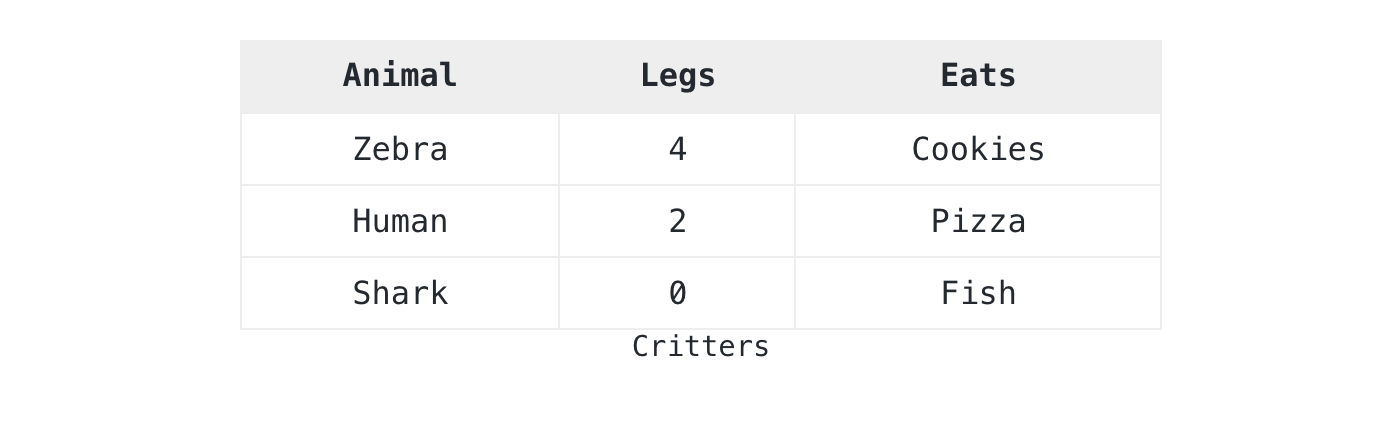 The parser handles whitespace, pipes, or plus signs as column boundaries. A
 ===== line marks the previous row as a header. I reach for this form first when I’m typing into a notebook. It stays readable as I edit, and it survives copy-paste from a terminal.The second syntax is structured. Use it when you need cell spans, semantic markup, or rich content in cells. Each row and each cell becomes its own block. The ===== line becomes a :header attribute on the row:=begin table :caption('My coffee morning')=begin row :header=cell Step=cell Tool=cell Time=end row=begin row=cell Grind=cell Burr grinder=cell 20s=end row=begin row=cell Brew=for cell :colspan(2)Aeropress, 90 seconds with bloom=end row=end table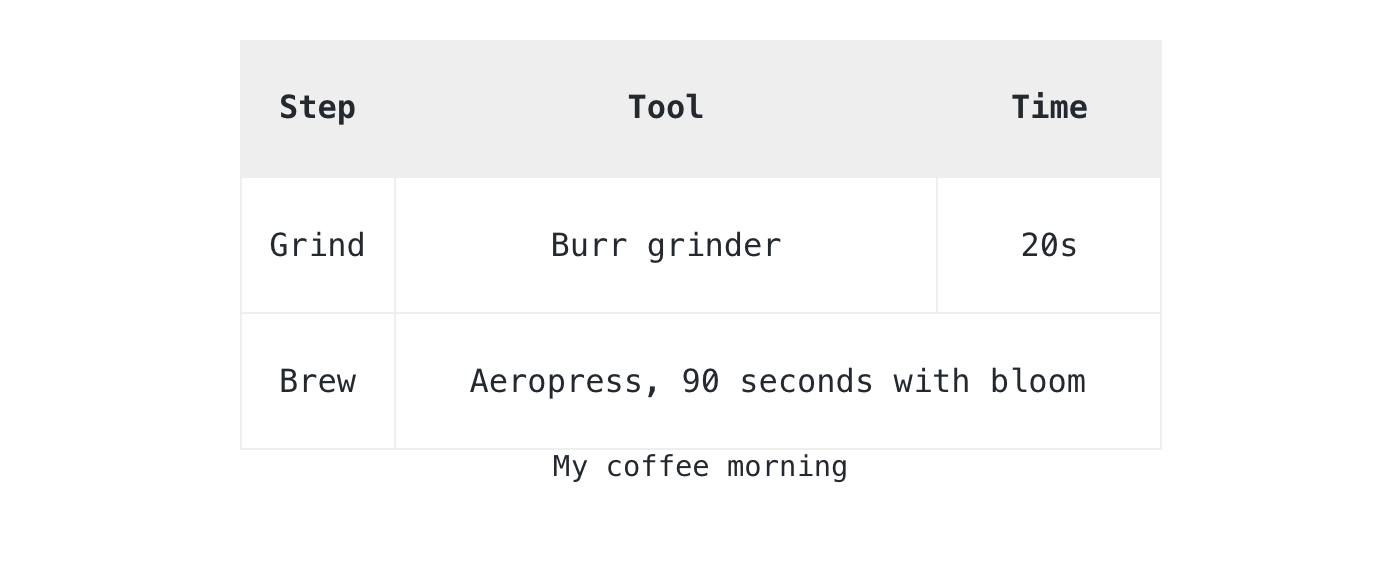 A cell can hold any Podlite block: a paragraph, a code block, a picture, an embedded diagram. This call was made early in the spec: tables in Podlite are not a visual feature, they are containers that render as a grid.The third syntax is data-driven. If the numbers are short enough to live in the document, put them directly inside a
 =data-table block:=begin data-table :caption('Build status') :mime-type<'text/csv; header=present'>component,statusparser,greenrenderer,greenplayground,yellow=end data-table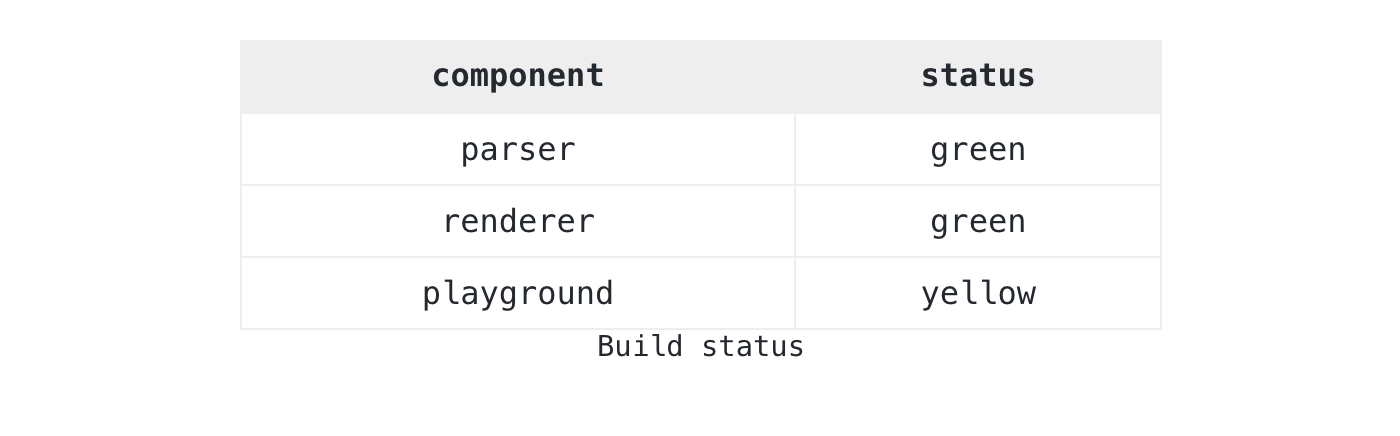 Some data has its own life: a CSV export, a TSV log, anything that exists before the document does. Keep it in a separate
 =data block and reference it via :src. If the data starts with column labels, mark them with the header=present parameter from RFC 4180 3:=for data-table :src<data:walks> :caption('Walks this month')=begin data :key<walks> :mime-type<'text/tab-separated-values; header=present'>datedistancenote2026-04-125kmmorning fog2026-04-153kmpark loop2026-04-228kmcoastal trail=end data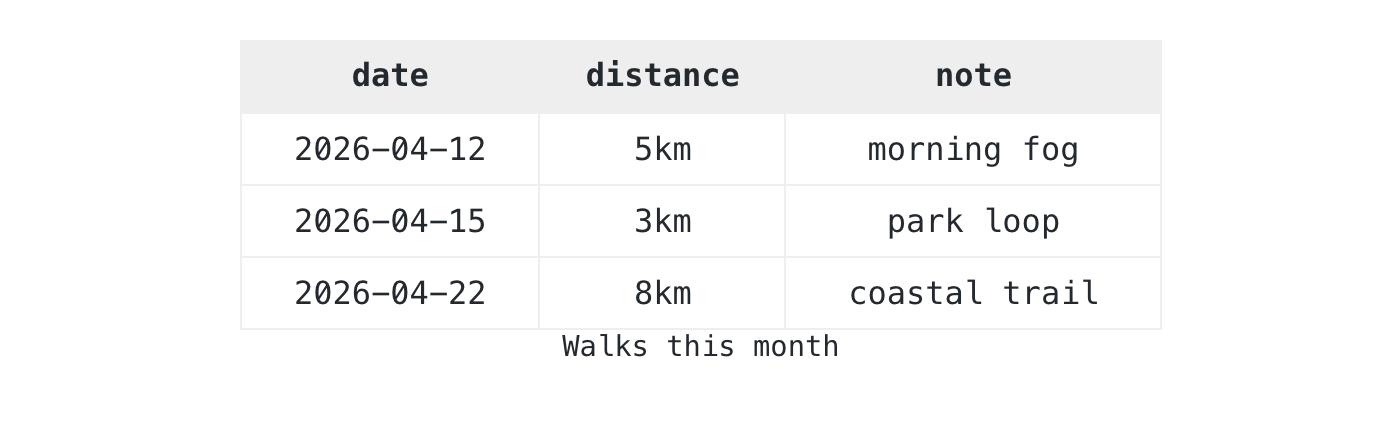 The
The =data block holds raw TSV: tab-split, no quoting, which is what most TSV tools emit. Tools that walk the document read the structured data directly, and readers see the rendered table from the same source.=code block so the content stays visible.edit: Programming/Perl/auto___three_ways_to_write_a_table_in_podlite.wikieditish...